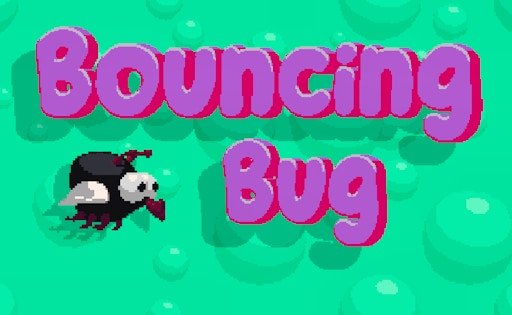
Bouncing Bug traps you — or rather, a large, unidentified flying bug — inside a rubbery box alongside monsters that would very much like to eat it. That’s the entire premise, and the game commits to it with a control scheme that’s almost aggressively simple: the bug flies on its own, diagonally, bouncing off the box’s rubber walls automatically. Your only input is a single click, which flips its vertical direction from up to down or back again.
That one-button constraint is what makes it work. With no direct steering, every click has to be timed against where the monsters currently are and where the bug’s automatic bounce path is about to take it — a split-second decision made over and over as coins and food appear around the box for the taking. A health system tracks your close calls: small fly icons in the top-left corner represent your remaining health, and losing them all ends the run.
Coins collected across your runs aren’t just a score — they unlock entirely different bug types in the in-game shop, giving you a reason to keep playing past your first good run. It’s built by GamePix themselves, and it plays exactly like the kind of game designed to fill a spare two minutes and somehow eat twenty.
How to play Bouncing Bug
The bug flies automatically, bouncing off the box's rubber walls on its own diagonal path. Click the left mouse button to flip its direction between up and down, steering it around monsters while collecting coins and food. Your health, shown as small fly icons in the top-left corner, depletes if a monster catches you — lose them all and the run ends.
Controls
- Left mouse button / tap Flip the bug's vertical direction (up/down)
Tips
- Think one bounce ahead — since you can't steer directly, plan around where the automatic path will take the bug next, not just where it is now
- Don't chase every coin; a coin near a monster usually isn't worth the health risk
- Watch your fly-icon health count in the top-left corner rather than only watching the bug itself
- Spend earned coins on a new bug type once you've banked a solid run, rather than letting them sit unused
FAQ
Can I steer the bug in any direction I want?
No — the bug moves and bounces automatically. Your only control is flipping its vertical direction between up and down with a click.
What happens if a monster catches the bug?
You lose one of the fly icons representing your health in the top-left corner. Lose all of them and the run ends.
What are the coins used for?
Coins collected during runs unlock different bug types in the Shop from the main menu — they double as your overall score even if you don't spend them.
Developed by GamePix. Published here through the GamePix distribution network.